
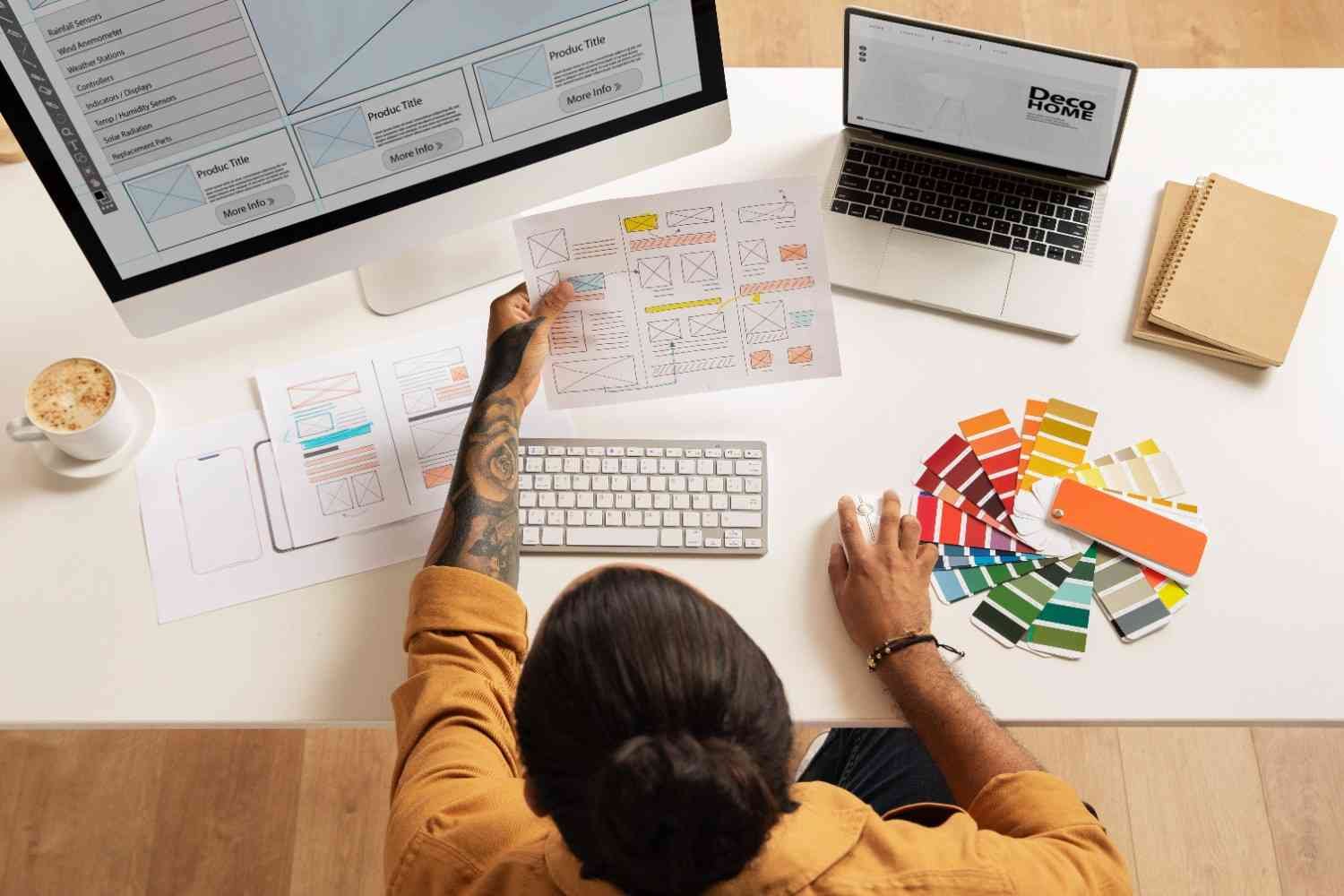
[vc_row][vc_column][vc_column_text] Features of Web Designing What Makes a Website Stand Out In today’s digital-first world, a well-designed website is more than just an online presence—it’s a powerful marketing tool. Web design is not only about creating something beautiful, but also about enhancing usability, accessibility, and functionality. If you’re new to website creation or looking to revamp your online platform, understanding the features of web designing the first step to building a strong digital foundation. Let’s dive into the key features of modern web designing you must know: 1.Responsive Design A responsive design ensures your website works flawlessly on all screen sizes—whether it’s a mobile phone, tablet, or desktop. Important: Mobile traffic accounts for more than 50% of web usage. Google favors mobile-friendly websites in search rankings. Enhances user experience across devices. ✅ Tip: Use flexible grids, scalable images, and media queries to achieve responsive designs. 2.User-Friendly Navigation Good navigation allows visitors to find what they’re looking for quickly and easily. Key Elements: Simple menus Organized categories Clear CTAs (Call-to-Actions) 🔍 Pro Insight: A confusing navigation structure increases bounce rate and negatively affects SEO. 3.Fast Loading Speed Website speed matters—for both users and search engines. A slow website can lead to high bounce rates and poor engagement. Optimize By: Compressing images Minimizing code (CSS, JS) Using caching plugins Choosing a reliable hosting provider ⚡ Bonus: Google’s PageSpeed Insights tool helps you identify performance issues. 4.Clear Visual Hierarchy Visual hierarchy guides users to the most important content first. Key Practices: Use larger font sizes for headings Apply contrasting colors to highlight key elements Position CTAs in prime locations 🎨 Design Tip: Make use of whitespace—it improves readability and focus. 5.SEO-Friendly Structure SEO isn’t only about content—web design plays a big role. An SEO-friendly website helps search engines crawl, index, and rank your pages efficiently. Includes: Clean and semantic HTML code Optimized URLs Proper heading tags (H1, H2, H3) Mobile optimization Fast page load speed 📈 SEO Tip: Add meta tags, alt text for images, and a sitemap. 6.Attractive Layout and Color Scheme Your website’s first impression depends heavily on the layout and colors you choose. Best Practices: Use a consistent color palette Choose readable fonts and spacing Stick to a clean and uncluttered layout 🎯 Design Psychology: Colors influence emotions—use them to match your brand’s voice. 7.Content Quality and Readability Your web design should enhance your content—not distract from it. Ensure: Clear and concise text Use of bullet points and short paragraphs Visual support (images, infographics, videos) 📝 Content Rule: Good design + great content = higher engagement and conversions. 8.Accessibility Make sure everyone, including people with disabilities, can access your website easily. Features to Include: Alt text for images Keyboard navigability Proper color contrast ARIA labels ♿ Inclusive Design: Accessibility isn’t just ethical—it’s also required in many regions. 9.Cross-Browser Compatibility Your website should function smoothly across all major browsers like Chrome, Firefox, Safari, and Edge. 🛠️ Tools: Use tools like BrowserStack to test compatibility. 10.Secure and Reliable Security is crucial, especially for eCommerce or data-collecting websites. 1.Essentials: SSL Certificate (HTTPS) Firewall and malware protection Regular backups 🔒 Trust Factor: A secure website builds trust and boosts conversion 2.Final Thoughts A great website is not just about looking good—it’s about functionality, speed, SEO, usability, and user satisfaction. Whether you’re building a personal blog, a business website, or an online store, focusing on these web designing features will ensure a better digital presence and long-term success. Conclusion To make your website stand out in 2025 and beyond, you must blend: Modern web design features Purpose-driven design types SEO, speed, accessibility, and branding [/vc_column_text][/vc_column][/vc_row][vc_row css=”%7B%22default%22%3A%7B%22background-color%22%3A%22_content_border%22%7D%7D” columns=”1″][vc_column][us_text text=”Features of Web Designing What Makes a Website Stand Out” css=”%7B%22default%22%3A%7B%22text-align%22%3A%22center%22%7D%7D” tag=”h1″][us_image image=”6311″ align=”center” size=”full” css=”%7B%22default%22%3A%7B%22animation-name%22%3A%22aft%22%7D%7D”][/vc_column][/vc_row][vc_row css=”%7B%22default%22%3A%7B%22background-color%22%3A%22_content_border%22%2C%22margin-top%22%3A%22-60px%22%7D%7D” columns=”1″][vc_column][us_text text=”In today’s digital-first world, a well-designed website is more than just an online presence—it’s a powerful marketing tool. Web design is not only about creating something beautiful, but also about enhancing usability, accessibility, and functionality. If you’re new to website creation or looking to revamp your online platform, understanding the features of web designing the first step to building a strong digital foundation. Let’s dive into the key features of modern web designing you must know:” tag=”h3″ css=”%7B%22default%22%3A%7B%22text-align%22%3A%22center%22%2C%22margin-top%22%3A%22-60px%22%7D%7D”][/vc_column][/vc_row][vc_row columns=”2″ css=”%7B%22default%22%3A%7B%22background-color%22%3A%22%2377d8e0%22%7D%7D”][vc_column width=”1/2″ css=”%7B%22default%22%3A%7B%22background-color%22%3A%22_content_border%22%2C%22box-shadow-h-offset%22%3A%220%22%2C%22box-shadow-v-offset%22%3A%220%22%2C%22box-shadow-blur%22%3A%223px%22%2C%22box-shadow-spread%22%3A%223px%22%2C%22box-shadow-color%22%3A%22_header_transparent_text%22%2C%22animation-name%22%3A%22aft%22%7D%2C%22laptops%22%3A%7B%22box-shadow-h-offset%22%3A%220%22%2C%22box-shadow-v-offset%22%3A%223px%22%2C%22box-shadow-blur%22%3A%223px%22%2C%22box-shadow-spread%22%3A%223px%22%2C%22box-shadow-color%22%3A%22_header_transparent_text%22%7D%2C%22tablets%22%3A%7B%22box-shadow-h-offset%22%3A%220%22%2C%22box-shadow-v-offset%22%3A%223px%22%2C%22box-shadow-blur%22%3A%223px%22%2C%22box-shadow-spread%22%3A%223px%22%2C%22box-shadow-color%22%3A%22_header_transparent_text%22%7D%2C%22mobiles%22%3A%7B%22box-shadow-h-offset%22%3A%220%22%2C%22box-shadow-v-offset%22%3A%223px%22%2C%22box-shadow-blur%22%3A%223px%22%2C%22box-shadow-spread%22%3A%223px%22%2C%22box-shadow-color%22%3A%22_header_transparent_text%22%7D%7D”][us_text text=”1.Responsive Design” tag=”h3″ css=”%7B%22default%22%3A%7B%22text-align%22%3A%22center%22%7D%7D”][us_iconbox img=”6314″ size=”100px”][/us_iconbox][us_text text=”A responsive design ensures your website works flawlessly on all screen sizes—whether it’s a mobile phone, tablet, or desktop. Important: Mobile traffic accounts for more than 50% of web usage. Google favors mobile-friendly websites in search rankings. Enhances user experience across devices. ✅ Tip: Use flexible grids, scalable images, and media queries to achieve responsive designs.” tag=”h5″][/vc_column][vc_column width=”1/2″ css=”%7B%22default%22%3A%7B%22background-color%22%3A%22_content_border%22%2C%22box-shadow-h-offset%22%3A%220%22%2C%22box-shadow-v-offset%22%3A%220%22%2C%22box-shadow-blur%22%3A%223px%22%2C%22box-shadow-spread%22%3A%223px%22%2C%22box-shadow-color%22%3A%22_header_transparent_text%22%2C%22animation-name%22%3A%22aft%22%7D%7D”][us_text text=”2.User-Friendly Navigation” tag=”h3″][us_iconbox img=”6320″ size=”100px”][/us_iconbox][us_text text=”Good navigation allows visitors to find what they’re looking for quickly and easily. Key Elements: Simple menus Organized categories Clear CTAs (Call-to-Actions) 🔍 Pro Insight: A confusing navigation structure increases bounce rate and negatively affects SEO.” tag=”h4″][/vc_column][vc_column width=”1/2″ css=”%7B%22default%22%3A%7B%22background-color%22%3A%22_content_border%22%2C%22box-shadow-h-offset%22%3A%220%22%2C%22box-shadow-v-offset%22%3A%220%22%2C%22box-shadow-blur%22%3A%223px%22%2C%22box-shadow-spread%22%3A%223px%22%2C%22box-shadow-color%22%3A%22_header_transparent_text%22%2C%22animation-name%22%3A%22afl%22%7D%7D”][us_text text=”3.Fast Loading Speed” tag=”h3″][us_iconbox img=”6344″ size=”100px”][/us_iconbox][us_text text=”Visual hierarchy guides users to the most important content first. Key Practices: Use larger font sizes for headings Apply contrasting colors to highlight key elements Position CTAs in prime locations 🎨 Design Tip: Make use of whitespace—it improves readability and focus.” tag=”h4″][/vc_column][vc_column width=”1/2″ css=”%7B%22default%22%3A%7B%22background-color%22%3A%22_content_border%22%2C%22box-shadow-h-offset%22%3A%220%22%2C%22box-shadow-v-offset%22%3A%220%22%2C%22box-shadow-blur%22%3A%223px%22%2C%22box-shadow-spread%22%3A%223px%22%2C%22box-shadow-color%22%3A%22_header_transparent_text%22%2C%22animation-name%22%3A%22afr%22%7D%7D”][us_text text=”4.Clear Visual Hierarchy” tag=”h3″][us_iconbox img=”6315″ size=”100px”][/us_iconbox][us_text text=”SEO isn’t only about content—web design plays a big role. An SEO-friendly website helps search engines crawl, index, and rank your pages efficiently. Includes: Clean and semantic HTML code Optimized URLs Proper heading tags (H1, H2, H3) Mobile optimization Fast page load speed 📈 SEO Tip: Add meta tags, alt text for images, and a sitemap.” tag=”h4″ css=”%7B%22default%22%3A%7B%22text-align%22%3A%22center%22%2C%22background-color%22%3A%22_content_border%22%7D%7D”][/vc_column][vc_column width=”1/2″ css=”%7B%22default%22%3A%7B%22background-color%22%3A%22_content_border%22%2C%22box-shadow-h-offset%22%3A%220%22%2C%22box-shadow-v-offset%22%3A%220%22%2C%22box-shadow-blur%22%3A%223px%22%2C%22box-shadow-spread%22%3A%223px%22%2C%22box-shadow-color%22%3A%22_header_transparent_text%22%2C%22animation-name%22%3A%22hfc%22%7D%7D”][us_text text=”6.Attractive Layout and Color Scheme” tag=”h3″][us_iconbox img=”6317″ size=”100px”][/us_iconbox][us_text text=”Your website’s first impression depends heavily on the layout and colors you choose. Best Practices: Use a consistent color palette Choose readable fonts and spacing Stick to a clean and uncluttered layout 🎯 Design Psychology: Colors influence emotions—use them to match your brand’s voice” tag=”h4″][/vc_column][vc_column width=”1/2″ css=”%7B%22default%22%3A%7B%22background-color%22%3A%22_content_border%22%2C%22box-shadow-h-offset%22%3A%220%22%2C%22box-shadow-v-offset%22%3A%220%22%2C%22box-shadow-blur%22%3A%223px%22%2C%22box-shadow-spread%22%3A%223px%22%2C%22box-shadow-color%22%3A%22_header_transparent_text%22%2C%22animation-name%22%3A%22hfc%22%7D%7D”][us_text text=”7.Content Quality and Readability” tag=”h3″][us_iconbox img=”6316″ size=”100px”][/us_iconbox][us_text text=”Your web design should enhance your content—not distract from it.

Best 10 Online Store Development in Trichy: A Complete Step-by-Step Guide to Launching Your Ecommerce Business
🚀 Start Your Journey with Online Store Development in Trichy If you’ve been thinking about taking your business online, now is the perfect time to act. With digital shopping becoming the new norm, launching an ecommerce website gives your brand the power to reach thousands of customers — not just in Trichy, but across India and even worldwide. At S2S Technology, we specialize in online store development in Trichy, helping startups, small businesses, and local entrepreneurs bring their products and services online quickly and affordably. This complete guide will walk you through every step you need to launch your online store and start selling successfully. ✅ Step 1: Choose the Right Product Niche Before building your store, you need to decide what you want to sell online. Choose a niche you understand well or that meets a market demand. Popular ecommerce categories in Trichy include: Fashion & accessories Traditional sarees Electronics & gadgets Organic groceries Handicrafts and gifts Pro Tip: Use Google Trends or local demand insights to find the best-selling products in your region. ✅ Step 2: Pick the Right Platform for Your Online Store There are many ecommerce platforms out there, and each has its own advantages. Depending on your budget and scale, our team at S2S Technology will help you choose the right one for online store development in Trichy. Popular options we offer: WooCommerce: Great for flexibility and WordPress users Magento: Ideal for large inventories and enterprise-scale ecommerce Custom PHP/React: Tailored solutions for unique business models ✅ Step 3: Design a Store That Builds Trust A great ecommerce website isn’t just about looks—it’s about user experience and trust. At S2S Technology, we craft mobile-friendly, fast-loading online stores that reflect your brand, build credibility, and turn visitors into customers. Your store will include: A beautiful homepage with your logo and banners Product pages with images, pricing, and stock details Cart and checkout systems Payment gateway integration Customer login or guest checkout We also support multi-language options, including Tamil and English. ✅ Step 4: Add Your Products Once your store is designed, it’s time to upload your products. We help you: Add product titles, images, prices, and descriptions Set categories and tags Enable stock tracking Configure shipping options Our team can even assist with bulk product upload if you’re migrating from another platform or selling a large inventory. ✅ Step 5: Set Up Secure Payments Payment gateway integration is a key step in online store development in Trichy. Customers today expect smooth, safe, and flexible payment options. We integrate top Indian payment solutions like: Razorpay Paytm Stripe PhonePe / UPI / Netbanking Cash on Delivery (COD) Your store will be SSL-secured and GDPR compliant for privacy and trust. ✅ Step 6: Promote Your Online Store Once your store is live, it’s time to bring in traffic and generate sales! Our digital marketing team at S2S Technology can help you grow with: SEO Optimization (On-page & Local SEO) Google & Facebook Ads Social Media Management Email Marketing WhatsApp Campaigns The goal is simple: drive qualified traffic to your store and convert them into customers. ✅ Step 7: Monitor, Improve & Scale The ecommerce journey doesn’t end after launching your store—it’s just the beginning. We give you tools like Google Analytics, Facebook Pixel, and integrated dashboards to monitor your performance. Plus, we offer: Regular maintenance plans Product updates Speed and security optimization Add-on features like discount codes, referrals, and live chat As your business grows, we help you scale your online store to handle more traffic, orders, and even expansion into marketplaces like Amazon or Flipkart. 🧩 Conclusion Building a successful online store may seem overwhelming, but with the right partner, it’s a smooth and rewarding journey. At S2S Technology, we provide complete solutions for online store development in Trichy, tailored to your business goals and budget. From idea to launch—we’re with you every step of the way. 📞 Contact Us Today Let’s turn your business idea into a powerful ecommerce platform. 📍 Visit us in Trichy | 📧 hello@s2stechnology.in | 📞 +91-XXXXXXXXXX

Best 05 Factors to Consider When Choosing a CMS
[vc_row][vc_column][vc_column_text] 1. Factors to Consider When Choosing a CMS A Content Management System (CMS) is software that helps you build and manage a website without needing to write all the code from scratch. It lets you create and organize digital content — like blog posts, pages, images, and more — through a user-friendly interface. 1. Your Website Goals Start by identifying what you need: A blog? A portfolio? An online store? A business website? Each CMS has strengths tailored to different purposes. 2. Ease of Use Are you a beginner? Then a CMS with a visual editor (like Wix or Squarespace) may be best.Want more control but still user-friendly? WordPress hits the sweet spot. 3. Design Flexibility Look for: Templates or themes Customization options Mobile responsiveness Some CMS platforms offer more design freedom than others. 4. Scalability If you plan to grow your site, choose a CMS that can handle it. WordPress and Drupal are great for long-term scalability, while simpler tools like Wix might be limiting as your needs expand. 5. SEO Capabilities An SEO-friendly CMS will help your site rank better on search engines.Look for: Custom URLs Meta tag control Fast loading speed Integration with SEO tools like Yoast (WordPress) 6. Cost Some platforms are free (like WordPress.org), but you’ll need to pay for hosting and themes. Others are subscription-based (like Wix or Shopify), with all-in-one packages. 7. Support and Community If you hit a roadblock, having access to help is crucial. WordPress has a massive global community, while platforms like Wix and Shopify offer dedicated support teams. Your CMS impacts everything: ✔ How easy it is to update your site ✔ The design and layout options available ✔ SEO performance ✔ Security and speed ✔ How much control you have over customization The wrong choice can lead to frustration, limited functionality, and unnecessary costs. A Content Management System (CMS) is software that helps you build and manage a website without needing to write all the code from scratch. It lets you create and organize digital content — like blog posts, pages, images, and more — through a user-friendly interface. 1.Key Features of a CMS User-Friendly Interface: Most CMS platforms come with drag-and-drop interfaces and WYSIWYG (What You See Is What You Get) editors, making it easy to format text, upload images, and design layouts. Content Scheduling: Schedule posts and pages to go live at specific times, ensuring consistent content delivery. Themes and Templates: Quickly change the look and feel of your website without changing the content. Plugins and Extensions: Add new features like contact forms, SEO tools, or social media integrations with just a few clicks. Role Management: Assign different roles (admin, editor, contributor) so team members have access only to what they need. 2.Choosing the Right CMS With so many CMS options available, selecting the right one can be overwhelming. Here are a few things to consider: Ease of use – Is the interface beginner-friendly? Customization – Can it be easily tailored to your brand? Community and Support – Is there a large user base or reliable customer support? Cost – Are there licensing fees or hidden costs? Functionality – Does it support the features your website needs? 3.Final Thoughts A Content Management System is an invaluable tool for anyone looking to manage a website efficiently. It empowers businesses to stay agile, publish content faster, and provide a better user experience — all without needing to dive into code. If you’re planning to build or revamp a website, choosing the right CMS is one of the most important decisions you’ll make. The good news? There’s a solution out there for every skill level, business size, and budget. Let me know if you’d like this adapted for a specific industry or CMS platform! [/vc_column_text][/vc_column][/vc_row][vc_row columns=”2″ css=”%7B%22default%22%3A%7B%22background-color%22%3A%22rgba%2848%2C55%2C207%2C0.30%29%22%7D%7D”][vc_column width=”1/2″][us_text text=”Your Website Goals” tag=”h3″ css=”%7B%22default%22%3A%7B%22text-align%22%3A%22center%22%7D%7D”][us_text text=”Start by identifying what you need A blog A portfolio An online store A business website Each CMS has strengths tailored to different purposes.” tag=”h4″ css=”%7B%22default%22%3A%7B%22text-align%22%3A%22center%22%7D%7D”][/vc_column][vc_column width=”1/2″][us_image image=”6592″][/vc_column][/vc_row][vc_row columns=”2″ css=”%7B%22default%22%3A%7B%22background-color%22%3A%22_content_border%22%7D%7D”][vc_column width=”1/2″][us_image image=”6254″][/vc_column][vc_column width=”1/2″][us_text text=”Ease of Use” tag=”h3″ css=”%7B%22default%22%3A%7B%22text-align%22%3A%22center%22%7D%7D”][us_text text=”Are you a beginner Then a CMS with a visual editor (like Wix or Squarespace) may be best. Want more control but still user-friendly WordPress hits the sweet spot.” tag=”h4″ css=”%7B%22default%22%3A%7B%22text-align%22%3A%22center%22%7D%7D”][/vc_column][/vc_row][vc_row columns=”3″ css=”%7B%22default%22%3A%7B%22background-color%22%3A%22rgba%2826%2C217%2C214%2C0.55%29%22%7D%7D”][vc_column width=”1/3″][us_text text=”Scalability” tag=”h3″ css=”%7B%22default%22%3A%7B%22text-align%22%3A%22center%22%7D%7D”][us_image image=”6278″][us_text text=”If you plan to grow your site, choose a CMS that can handle it. WordPress and Drupal are great for long-term scalability, while simpler tools like Wix might be limiting as your needs expand.” tag=”h4″ css=”%7B%22default%22%3A%7B%22text-align%22%3A%22center%22%7D%7D”][/vc_column][vc_column width=”1/3″][us_text text=”Cost” tag=”h3″ css=”%7B%22default%22%3A%7B%22text-align%22%3A%22center%22%7D%7D”][us_image image=”6189″][us_text text=”Some platforms are free (like WordPress.org), but you’ll need to pay for hosting and themes. Others are subscription-based (like Wix or Shopify), with all-in-one packages.” tag=”h4″ css=”%7B%22default%22%3A%7B%22text-align%22%3A%22center%22%7D%7D”][/vc_column][vc_column width=”1/3″][us_text text=”Community” tag=”h3″ css=”%7B%22default%22%3A%7B%22text-align%22%3A%22center%22%7D%7D”][us_image image=”6123″][us_text text=”If you hit a roadblock, having access to help is crucial. WordPress has a massive global community, while platforms like Wix and Shopify offer dedicated support teams.” tag=”h4″ css=”%7B%22default%22%3A%7B%22text-align%22%3A%22center%22%7D%7D”][/vc_column][/vc_row]

The Features of Web Designing Trends You Can’t Ignore in 2025
The Features of Web Designing Trends You Can’t Ignore in 2025 evolving at lightning speed. As we step into 2025, it’s clear that websites aren’t just about looks—they’re about creating immersive, fast, user-friendly, and accessible experiences. If you’re a designer, developer, business owner, or blogger, keeping up with the latest web design features is non-negotiable. In this article, we’ll explore the top web designing features and trends that are transforming the digital world in 2025. We’ll cover everything from AI integration to minimalist design, dark mode, and much more. Ready to future-proof your website? Let’s dive in. AI-Powered Web Design Tools 🔍 What’s New? Artificial Intelligence (AI) is revolutionizing how we design and build websites. In 2025, AI-powered platforms like Wix ADI, Framer AI, and Bookmark are not just assisting designers—they’re creating entire websites automatically based on user prompts. ✅ Features: Auto-layout & content generation Chatbots and virtual assistants Personalized user experiences Predictive search and navigation 💡 Why It Matters: AI reduces the time and effort needed to build complex designs while improving user interaction and personalization. It also helps in SEO optimization and real-time analytics. Responsive Design 3.0 🔍 What’s New? Responsive design isn’t new—but in 2025, it’s more intelligent and device-adaptive than ever. It now accounts for foldable devices, smart TVs, wearables, and voice-based interfaces. ✅ Features: Dynamic grid layouts CSS container queries Adaptive media queries for foldable screens Voice-responsive interactions 💡 Why It Matters: A mobile-friendly website is no longer enough. Modern users expect a seamless experience on every device—and Google’s mobile-first indexing rewards this approach. Motion UI and Microinteractions 🔍 What’s New? In 2025, websites are becoming more animated and alive thanks to motion UI and microinteractions. Subtle animations, transitions, and hover effects guide users and increase engagement. ✅ Features: Scroll-based animations Parallax effects Button hover feedback Loading animations 💡 Why It Matters: Motion UI makes the user experience intuitive and engaging, guiding users without overwhelming them. It also makes content feel dynamic and interactive. Voice User Interface (VUI) 🔍 What’s New? With the rise of smart speakers and voice assistants, Voice User Interfaces (VUIs) are now making their way into web design. In 2025, optimizing for voice search and navigation is key. ✅ Features: Voice search integration Voice-activated navigation Speech-to-text support Audio feedback 💡 Why It Matters: As users prefer hands-free browsing, especially on mobile and wearable devices, VUI ensures accessibility and faster interaction. It’s also a major boost for SEO. Accessibility-First Design (A11y) 🔍 What’s New? Inclusive design isn’t just a trend—it’s a requirement. Accessibility is now a core part of web design, and in 2025, sites that don’t comply risk penalties and poor UX. ✅ Features: High contrast mode Keyboard-only navigation Screen reader compatibility Alt text automation using AI 💡 Why It Matters: An accessible website opens doors to all users, including those with disabilities, and improves SEO by following Google’s core web vitals. Minimalism and Clean UI 🔍 What’s New? Less is more in 2025. Minimalist design isn’t boring—it’s bold, clean, and strategic. It ensures content stands out and users aren’t distracted. ✅ Features: White space usage Bold typography Simplified navigation Monochrome color palettes 💡 Why It Matters: Minimalist sites load faster, perform better, and offer clearer communication, making them ideal for conversions and SEO. Dark Mode and Light/Dark Toggle 🔍 What’s New? Dark mode is now expected on modern websites. In 2025, many sites offer light/dark mode toggles, allowing users to choose based on preference or time of day. ✅ Features: Built-in theme switching Reduced eye strain for night browsing Improved energy efficiency on OLED screens 💡 Why It Matters: It enhances user comfort, particularly on mobile, and is often tied to user personalization features. 3D Elements and Immersive Experiences 🔍 What’s New? Thanks to WebGL and faster processors, 3D design is accessible on the web like never before. It creates immersive, story-driven websites that feel like apps or games. ✅ Features: Interactive 3D models 360° product viewers Augmented Reality (AR) integrations Animated scene transitions 💡 Why It Matters: 3D adds depth and realism to product pages, portfolios, and landing pages, increasing time on site and conversions. Core Web Vitals Optimization 🔍 What’s New? Google’s Core Web Vitals (LCP, FID, CLS) continue to evolve. In 2025, performance and speed are critical ranking factors. ✅ Features: Lazy loading images and videos Optimized code and file compression Fast server response times (CDNs, edge computing) Image formats like WebP and AVIF 💡 Why It Matters: A high-performing site leads to better SEO rankings, lower bounce rates, and higher engagement. Personalization with Big Data 🔍 What’s New? Big data + AI = smart personalization. Websites in 2025 use data to adapt layouts, content, and offers to individual users. ✅ Features: Dynamic content based on user behavior Location-based services Predictive product recommendations 💡 Why It Matters: Personalized websites convert more. They make users feel understood and deliver exactly what they need—instantly.
10 Affordable Ecommerce Website Design in Trichy: What to Expect
Introduction Affordable Ecommerce Website Design in Trichy, In today’s competitive digital marketplace, having an ecommerce website is one of the smartest investments for any business. Whether you’re a retail shop in Trichy or a growing local brand, building a powerful online presence helps you reach more customers, generate consistent revenue, and grow your brand 24/7. At S2S Technology, we understand that cost is a big concern for small and medium-sized businesses. That’s why we offer affordable ecommerce web development services in Trichy without compromising on performance, security, or design. So, what can you expect when you invest in an affordable ecommerce solution with us? Let’s break it down. 🛠️ 1. Customized Design That Reflects Your Brand Many people think affordable means basic—but that’s not true. At S2S Technology, our budget-friendly ecommerce packages still include custom design tailored to your brand’s identity. Whether you run a fashion store, electronics shop, organic market, or a bakery in Trichy, we design a user-friendly online store that looks professional, responsive on all devices, and encourages visitors to make purchases. 🔐 2. Secure and Easy Payment Gateway Integration A great ecommerce store must have safe and seamless checkout. We integrate trusted payment gateways like Razorpay, Paytm, Stripe, and UPI, even in our affordable plans. Your customers will enjoy a hassle-free payment experience, and your business will benefit from better conversion rates. Our ecommerce websites come with: SSL Certificates HTTPS Security Cash-on-Delivery (COD) support Multi-currency and GST options (if needed) 📱 3. Mobile-Optimized Ecommerce Development With over 80% of Indian shoppers using smartphones to browse and buy products, your ecommerce store must be mobile-friendly. At S2S Technology, mobile responsiveness is a default feature, even in our lowest-cost ecommerce packages. We ensure that: Pages load fast (under 3 seconds) Buttons and navigation are touch-optimized Cart and checkout are easy on small screens This directly improves your search rankings and user engagement. 💼 4. Essential Features – Even in Budget Plans Even our basic ecommerce web development services in Trichy come packed with must-have features, including: Product catalog setup Order management dashboard Category filters Cart & wishlist WhatsApp chat integration Basic SEO setup Google Analytics setup Need more? You can always upgrade later with plugins like reviews, coupons, or social shop integrations. 💰 5. Transparent Pricing – No Hidden Costs One of the biggest challenges for Trichy businesses is finding a web development company that offers affordable, transparent pricing. At S2S Technology, we provide clear packages starting from just ₹14,999 with no surprise fees. We offer: One-time payment or EMI options Clear package breakdowns Optional add-ons like hosting, branding, or digital marketing Whether you’re a solo entrepreneur or a local chain, our pricing model ensures you only pay for what you need. 🌐 6. Local Expertise with Personal Support As a Trichy-based ecommerce web development company, we offer the advantage of local understanding, Tamil language options, and face-to-face support when needed. We understand the needs of our region and are passionate about helping Trichy businesses go digital. From consultation to development to launch—we’re with you every step of the way. 📈 Why S2S Technology? When you choose S2S Technology for ecommerce web development services in Trichy, you’re choosing: 10+ years of web expertise 100+ ecommerce stores delivered 100% client satisfaction rate Fast turnaround times Ongoing maintenance support We don’t just build websites — we help you build your online business. 🧩 Conclusion Ecommerce is the future—and the future is now. Don’t let high costs hold your business back. With affordable ecommerce web development services in Trichy from S2S Technology, you can launch your online store quickly, professionally, and within your budget. 📞 Call us today at +91-XXXXXXXXXX 📧 Email: hello@s2stechnology.in 🌐 www.s2stechnology.in Let’s bring your store online — the smart and affordable way!

Top 10 Modern Web Technologies You Must Know in 2025
Top 10 Modern Web Technologies You Must Know in 2025 Introduction The web development landscape is evolving faster than ever. As we step into 2025, developers, startups, and businesses must adopt modern tools and technologies that enhance performance, scalability, and user experience. Whether you’re a frontend developer, backend engineer, or tech enthusiast, here are the top 10 modern web technologies you need to know in 2025. <p> </p> 1. WebAssembly (Wasm) Keyword Focus: WebAssembly, Web performance, Browser performance WebAssembly allows you to run high-performance code written in languages like C++, Rust, or Go in the browser. It executes at near-native speed, making it ideal for game engines, video editing apps, and 3D modeling tools. Use Case: Bringing desktop-level applications to the web Why Learn It: Enables JavaScript alternatives and advanced performance use cases 2. Web Components Keyword Focus: Web components, Custom elements, Shadow DOM Web Components are a set of browser APIs that let you create reusable, encapsulated UI elements using vanilla JavaScript, HTML, and CSS. Use Case: Design systems, Micro frontends Why Learn It: Framework-agnostic way to build reusable components 3. React Server Components (React 19) Keyword Focus: React 19, Server components, React performance With React 19, server components let developers offload rendering to the server while keeping interactivity on the client. This leads to better performance, smaller bundles, and improved SEO. Use Case: Content-rich apps with interactivity Why Learn It: Cleaner architecture and blazing-fast rendering 4. Edge Computing & Edge Functions Keyword Focus: Edge computing, Serverless functions, Vercel Edge Edge functions execute code closer to the user by running on globally distributed servers. Popular platforms like Vercel, Cloudflare Workers, and Netlify Edge Functions support this model. Use Case: Real-time personalization, geo-aware content Why Learn It: Speed and scalability for global apps 5. Next.js 14 & App Router Keyword Focus: Next.js 14, App Router, Full-stack React Next.js continues to dominate as a full-stack framework for React, with features like the App Router, server actions, and improved streaming capabilities in version 14. Use Case: Enterprise-grade full-stack applications Why Learn It: Built-in SSR, API routes, and hybrid rendering 6. Vite.js Keyword Focus: Vite, Frontend tooling, Fast builds Vite is a lightning-fast development server and build tool that’s quickly replacing older tools like Webpack. It supports Vue, React, Svelte, and more. Use Case: Modern frontend frameworks Why Learn It: Instant hot module replacement (HMR) and fast builds 7. Astro Keyword Focus: Astro framework, Static site generator, Zero JS Astro is a next-gen static site builder that ships zero JavaScript by default, making it ideal for performance-first content sites. Use Case: Blogs, marketing sites, documentation Why Learn It: Ships HTML, not JS — better SEO and page speed 8. TypeScript Keyword Focus: TypeScript, JavaScript typing, Scalable code TypeScript continues to dominate as the go-to choice for scalable JavaScript development. It adds static typing to JS, making your code more maintainable and less error-prone. Use Case: Large-scale projects, enterprise apps Why Learn It: Better refactoring and debugging experience 9. Progressive Web Apps (PWAs) Keyword Focus: PWA, Offline apps, Mobile-first web PWAs provide native app experiences in the browser, including offline access, home screen installation, and push notifications. Use Case: Mobile-first platforms, e-commerce, news portals Why Learn It: Mobile usability without app store dependency 10. AI-Enhanced Development Tools Keyword Focus: AI coding tools, GitHub Copilot, Developer productivity Tools like GitHub Copilot, Cursor, and AI integrations in IDEs are changing how we code. They help with boilerplate generation, error detection, and even full feature scaffolding. Use Case: Faster prototyping, testing, and documentation Why Learn It: Boost productivity and streamline dev workflows ✅ Bonus: Headless CMS & Composable Architecture Keyword Focus: Headless CMS, Composable web, JAMstack Platforms like Sanity, Strapi, and Contentful enable developers to deliver content through APIs, allowin